
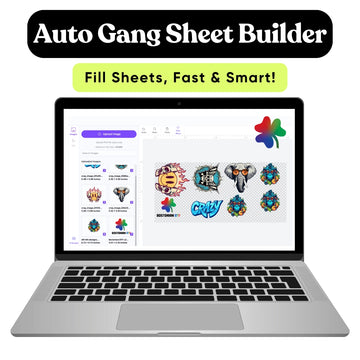
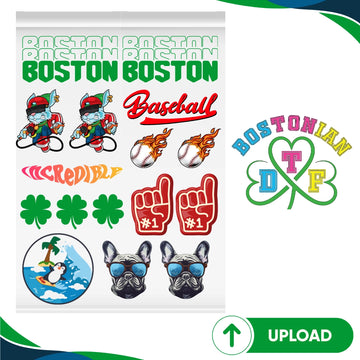

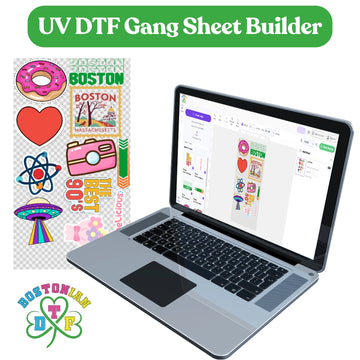



Custom DTF gang sheets let you place many designs on one transfer sheet. You can add chest logos, back prints, sleeve designs, labels, and repeat logos to the same sheet. Then you cut them apart and press each transfer onto the right garment. The easiest way to order is to count every transfer first, set each design to its final size, choose the right sheet length, and check the full layout before paying. For Boston brands and print shops, Bostonian DTF offers both a gang sheet builder and a pre-made upload option for larger apparel jobs. The current pre-made upload option uses 22-inch-wide sheets and lists lengths from 5 inches to 300 inches. The online builder also supports long 22-inch-wide sheets for larger layouts.
What Is a Custom DTF Gang Sheet?
A DTF gang sheet is one large transfer sheet that holds several designs.
Instead of ordering each logo on a separate film sheet, you group multiple transfers.
That can make bulk apparel work easier to organize.
What Can Go on One Sheet?
You can mix different designs and sizes.
For example, one sheet may hold large back graphics, small chest logos, sleeve prints, and neck labels.
You can also repeat the same logo many times.
That is why DTF gang sheets work well for clothing brands, print shops, teams, events, and business uniforms.
Why Are Gang Sheets Useful for Bulk Apparel?
Bulk apparel orders usually need many transfers.
You might need 50 chest logos plus 50 back prints.
Ordering and handling every transfer one by one can become messy.
Bulk DTF transfers placed on larger sheets can make counting and production easier.
You Control the Mix
You do not have to fill the whole sheet with one design.
You can mix different sizes and artwork when your production job needs it.
For example, a small brand may need:
25 front logos
25 back graphics
10 sleeve prints
5 extra logos for replacements
All of those designs can be planned together.
How Should You Plan Your Order First?
Before using an online DTF gang sheet builder, write down exactly what you need.
Do not start with the sheet size.
Start with the garment order.
Ask how many shirts, hoodies, bags, or uniforms you are printing.
Then count how many transfer locations each item needs.
Use a Simple Quantity Table
|
Garment print |
Size |
Quantity needed |
|
Left chest logo |
4 inches |
40 |
|
Full back design |
11 inches |
40 |
|
Sleeve logo |
3 inches |
12 |
|
Extra chest logos |
4 inches |
5 |
This example needs 97 separate transfers.
Now you know what the gang sheet must hold.
That is much easier than guessing.
How Do You Choose the Right Transfer Size?
Set every design to the size you actually want on the garment.
Do this before building the sheet.
A chest logo should not become smaller just because another design needs more room.
Final Size Comes First
If a back design needs to be 11 inches wide, keep it at 11 inches.
If a chest logo needs to be 4 inches, keep it at 4 inches.
Do not shrink important designs just to save film.
The current layout guidance also recommends setting the final print dimensions before arranging the sheet.
How Should You Prepare the Artwork?
Clean artwork makes ordering much easier.
Check every file before you add it to the sheet.
Make sure the image is sharp.
Check spelling.
Remove unwanted backgrounds.
Also check that the artwork is not stretched.
Remove Empty Transparent Space
A small logo can sometimes sit inside a much larger transparent PNG.
That space may make the design harder to place close to other transfers.
Crop useless transparent canvas without cutting into the real artwork.
This can help you use the sheet more efficiently.
“A good bulk gang sheet starts with correct sizes and clean files, not with trying to fill every empty inch.”
Simple planning can prevent a lot of rework.
How Do You Build a DTF Gang Sheet?
If you are learning how to build a DTF gang sheet, start with the biggest artwork.
Large designs control most of the layout.
Place full-back and full-front prints first.
Then add medium designs.
Use chest logos, sleeve prints, and labels to fill smaller open spaces.
Rotate Designs When It Helps
Turning a design can sometimes help it fit better.
Rotation is fine as long as you do not change the width or height of the printed design.
Never stretch artwork to make it fill a gap.
The current builder guidance says designs can be uploaded, resized to their real print dimensions, rotated, duplicated, and previewed before ordering.
How Much Space Should You Leave Between Transfers?
Leave enough room to cut each transfer apart.
The exact spacing can depend on your cutting method.
You do not need huge gaps.
But designs should not touch or overlap.
Think About Cutting Later
Imagine cutting 80 small logos by hand.
If they almost touch, cutting becomes slow and frustrating.
A little clear space can make production much easier.
This matters even more for bulk DTF gang sheets, where one layout may contain many individual pieces.
Should You Use the Builder or Upload a Finished Sheet?
Both options can work.
The better choice depends on how comfortable you are with layout software.
|
Option |
Best for |
What you do |
|
Online builder |
Easy setup |
Upload and arrange designs online |
|
Pre-made upload |
Experienced designers |
Upload one finished gang sheet file |
|
Individual transfers |
Small simple jobs |
Order separate designs |
A builder is very useful when you want to move and resize artwork online.
If you already work in Canva, Photoshop, Illustrator, or another design program, a pre-made upload gives you layout control.
The current pre-made option starts at 22 x 5 inches. Goes up to 22 x 300 inches.
How Do You Order DTF Gang Sheets?
If you're looking to order DTF gang sheets, the process can stay simple.
First, choose whether you want to build the layout online or upload a finished sheet.
Then choose the sheet size.
Add your artwork.
Set every design to its correct dimensions.
Check quantities.
Preview the full sheet.
Then place the order.
Do Not Skip the Preview
Look at the full sheet before checkout.
Check for artwork outside the boundary.
Look for overlaps.
Make sure every transfer appears at the correct size.
Check spelling one more time.
This takes a few minutes and can prevent an expensive mistake.
How Do You Order Custom DTF Transfers for a Bulk Job?
For how to order custom DTF transfers, think about the whole apparel job first.
Do not order transfers before you know the garment quantities.
If you need 60 shirts with a front and back design, you need at least 60 front transfers plus 60 back transfers.
Add any spares you want before building the layout.
Count Before You Arrange
A beautiful layout is still wrong if it contains only 58 logos for a 60-shirt order.
Count carefully.
Then count again.
For large jobs, naming your artwork clearly can also help.
“Front Logo 4 Inch” is much easier to track than “final-final-logo3.png.”
How Do You Choose the Sheet Length?
Your total artwork decides how much sheet space you need.
Large graphics use more space than small logos.
A job with 50 full-back prints may need much more film than 50 chest logos.
Build Before You Buy Too Much Space
Do not automatically choose the longest sheet.
Arrange your designs first.
Then select a sheet size that fits the finished layout.
The available pre-made upload sizes currently range from 22 x 5 to 22 x 300 inches, giving both small and large jobs several length choices.
What Are the Most Common Bulk Ordering Mistakes?
Most problems come from simple setup errors.
|
Mistake |
What happens |
Better approach |
|
Wrong transfer size |
Print looks too big or small |
Set final size first |
|
Poor artwork |
Transfer may look blurry |
Use clean source files |
|
Wrong quantity |
You run out during production |
Count before layout |
|
Overlapping designs |
Transfers cannot separate |
Leave cutting space |
|
Extra transparent space |
Film gets wasted |
Crop empty canvas |
|
No final review |
Errors reach production |
Preview the full sheet |
This is why a clear DTF gang sheet ordering guide should focus on planning first.
The printing step comes later.
Should You Order Extra Transfers?
For many bulk jobs, a few extras can be useful.
A garment may get damaged.
A transfer may be placed incorrectly.
A customer may add one more shirt.
You do not need to add a huge number of extras.
Just think about your real production risk before finalizing the sheet.
When Should You Bulk Order DTF Gang Sheets?
The phrase bulk order DTF gang sheets makes the most sense when you have repeated designs or many garments to press.
Examples include merch drops, company uniforms, team shirts, school events, gym apparel, and print shop orders.
The more organized the artwork and quantities are, the easier production becomes.
Repeat Jobs Can Be Even Easier
Save the final artwork sizes and quantity notes.
If the customer orders the same design again, you already know the setup.
That can make repeat custom gang sheets much faster to prepare.
Why Does This Matter for Boston Businesses?
Boston has a large small-business community.
The City of Boston says the city has over 18,000 small businesses. They employ 127,000 people and generate close to $28 billion each year.
A Dorchester clothing brand may need transfers for a product launch.
A South Boston gym may need staff and member shirts.
A Cambridge startup might order apparel for an event.
A local print shop may need hundreds of transfers for several clients.
Custom DTF transfers can help these businesses manage different artwork without ordering every print separately.
What Should You Check Before Placing the Order?
Look at every design one last time.
Check the final sizes.
Count each design.
Check spelling.
Look for unwanted backgrounds.
Make sure nothing overlaps.
Make sure the sheet size matches your file.
Also confirm that the artwork is inside the printable area.
For how to order DTF gang sheets, this final review may be the most important step of all.
What About Artwork Rights?
Only print artwork that you own or have permission to use.
This applies to logos, characters, photographs, sports marks, and other protected designs.
If you are not sure about copyright or trademark rights, talk to an attorney.
This is business information and should not be considered legal advice.
Conclusion
Ordering custom DTF gang sheets does not need to be difficult.
Start with the apparel order.
Count every transfer.
Set the correct sizes.
Prepare clean artwork.
Place the large designs first.
Use smaller graphics to fill open space.
Then check the whole layout before ordering.
For large apparel jobs, good planning makes production much easier.
Order Custom DTF Gang Sheets for Your Boston Bulk Apparel Project
Planning a merch drop, business uniform order, team project, or large print run? Bostonian DTF offers gang sheet options for Boston-area brands, creators, and print businesses. Prepare your quantities first, choose the right layout method, and review the complete sheet before sending it to production.
FAQs
What is a custom DTF gang sheet?
A custom DTF gang sheet is one large transfer sheet that holds several designs or repeated copies of the same design. You cut the transfers apart before pressing them onto garments.
How do I order DTF gang sheets?
Count the transfers you need, set each design to its final size, prepare clean artwork, choose a sheet size, arrange the designs, check the full layout, and then place the order.
Can I put different designs on one DTF gang sheet?
Yes. You can mix logos, back prints, sleeve designs, labels, and other artwork on the same sheet as long as everything fits inside the printable area.
What file should I use for a custom DTF gang sheet?
Follow the printer's file requirements. The current pre-made upload instructions ask for high-resolution PNG artwork at 300 DPI with transparent backgrounds.
Should I use a gang sheet builder or upload a finished sheet?
Use a builder if you want to arrange artwork online. Upload a finished sheet if you already created the complete layout in design software and want more control over placement.
How do I know what gang sheet size to order?
Arrange the artwork at its final print sizes first. Then choose the shortest available sheet that safely fits the complete layout without overlapping designs.
Are gang sheets useful for bulk apparel orders?
Yes. Gang sheets can place many transfers on one sheet, which makes them useful for clothing brands, print shops, teams, uniforms, events, and other larger apparel jobs.
Should I order extra DTF transfers for a bulk job?
A few extra transfers can be useful for production mistakes, damaged garments, or small quantity changes. The number of extras depends on the size and needs of your order.


