
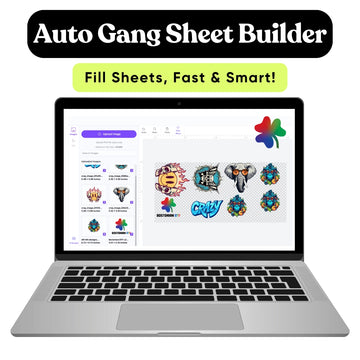
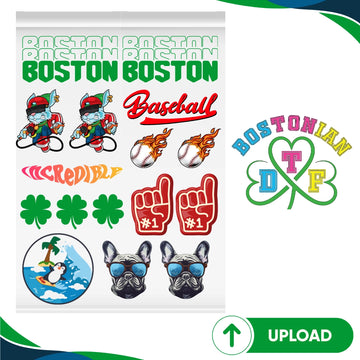

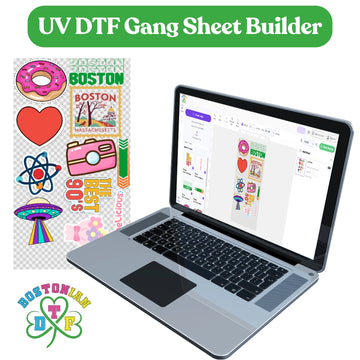


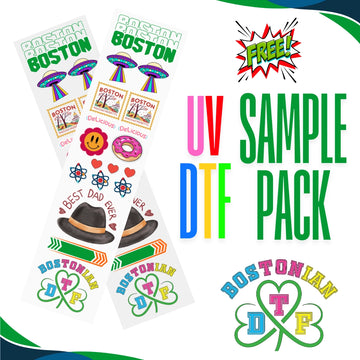

A good DTF gang sheet needs enough room between designs for clean cutting, but it should not waste large areas of film. Traditional print bleed is usually different from DTF spacing. In most DTF layouts, the main goal is to keep each design at its correct size, inside the printable area, with enough space around it to separate it safely. For Boston-area creators and print shops, Bostonian DTF offers pre-made gang sheet uploads with 22-inch-wide sheets in several lengths. The current product page lists sizes from 22 x 5 inches up to 22 x 300 inches.
What Does Bleed Mean in Printing?
Bleed means artwork extends beyond the final trim line.
It is common in paper printing. For example, a business card with a blue background may extend past the cut line. After trimming, there is no unwanted white edge.
Adobe defines bleed as artwork that extends beyond the crop or trim area so printing reaches the finished edge after cutting.
Is DTF Bleed the Same Thing?
Usually, no.
Most individual DTF designs are not trimmed along a printed rectangular edge like a business card.
Instead, you print several separate designs on film, cut them apart, then press each transfer onto a garment.
That means DTF gang sheet bleed is often less important than spacing and clean transparent artwork.
If your printer gives you a specific bleed requirement, follow it. Otherwise, do not add extra artwork outside the design just because traditional paper printing uses bleed.
How Much Bleed Do DTF Transfers Need?
If you are asking how much bleed is needed for DTF transfers, there is no universal number for every DTF printer.
For most normal logos and transparent PNG artwork, you should not add traditional page bleed unless the print provider asks for it.
Your artwork should end where you want the printed design to end.
Watch Your Transparent Background
A logo may have invisible transparent space around it.
That space does not print, but it still takes up room in your layout.
Removing large empty areas lets you move designs closer together without changing the actual design.
That can improve DTF gang sheet optimization.
What Are DTF Transfer Bleed Settings?
DTF transfer bleed settings can mean different things depending on the design software or RIP system being used.
For a customer uploading a finished gang sheet, the easier rule is this:
Build the artwork at the correct final size.
Keep the background transparent.
Do not add extra printed color outside the design unless your printer tells you to.
Follow the Print Provider's File Rules
Bleed requirements are not the same everywhere.
A printer may use different machines, film widths, and production settings.
So, provider instructions should always come before a general online rule.
How Much Space Should You Leave Between Designs?
DTF gang sheet spacing should give you enough room to cut one transfer without damaging the design next to it.
There is no single spacing number that works for every production setup.
Some people cut with scissors.
Others use a rotary cutter or another cutting method.
Leave a Clear Cutting Path
If you are learning how to space DTF transfers, look at the empty area between two designs.
Could you cut through that space without touching either design?
If yes, the gap may be workable.
If the designs almost touch, cutting becomes harder, and mistakes become more likely.
“The goal is not to fill every tiny piece of film. The goal is to get the most usable transfers from the sheet.”
A little cutting room can be more valuable than squeezing in one extra logo.
Can DTF Designs Touch Each Other?
They should not overlap.
Two designs that touch can become difficult to cut apart.
If printed areas overlap, they may no longer work as separate transfers.
Watch Irregular Shapes
A rectangular design is easy to judge.
A logo with long letters, stars, wings, or small shapes can be harder.
Always look at the actual printed artwork, not only the box around it.
Leave enough room around the outside parts.
What Are DTF Gang Sheet Margins?
DTF gang sheet margins are the spaces between your artwork and the outside edge of the printable sheet.
The exact edge requirement depends on the printer and builder.
Do not assume you can place important artwork partly outside the sheet boundary.
Stay Inside the Printable Canvas
If your builder shows an outside boundary, keep every design inside it.
Do not place part of a logo beyond that line.
For a pre-made upload, your file dimensions should also match the sheet size you selected.
The current upload product offers 22-inch-wide sheets from 22 x 5 through 22 x 300 inches.
What Is a DTF Gang Sheet Safe Zone?
A DTF gang sheet safe zone is the area where you can place important artwork without risking it being outside the printable sheet.
Think of it as your working area.
Keep logos, text, and important design details inside the sheet limits.
Do You Need a Fixed Safe-Zone Number?
Not unless your print provider gives one.
Different printers may have different printable boundaries.
Instead of guessing, use the dimensions and preview provided for your order.
That is safer than copying a random margin from another print shop.
How Do You Make a DTF Gang Sheet?
If you are learning how to make a DTF gang sheet, start with the individual designs.
Set every design to its final print size.
Then clean the files.
Remove unwanted backgrounds and extra transparent canvas.
Now build the sheet.
Start With Large Designs
Place your largest designs first.
Large back prints and full-front graphics take the most space.
After they are placed, add chest logos, sleeve prints, neck labels, and other small designs into the open areas.
This makes the sheet easier to organize.
How Do You Layout a DTF Gang Sheet?
For how to lay out a DTF gang sheet, think of the sheet like packing a suitcase.
Large items go in first.
Smaller items fill the gaps.
But do not crush everything together just to use every inch.
A strong DTF gang sheet layout should be efficient and easy to cut.
|
Layout choice |
Good idea? |
Why |
|
Set final sizes first |
Yes |
Prevents wrong transfer sizes |
|
Place large designs first |
Yes |
Makes layout easier |
|
Remove empty transparent canvas |
Yes |
Saves usable space |
|
Rotate designs when helpful |
Yes |
Can improve fit |
|
Overlap printed areas |
No |
Designs may not separate |
|
Shrink logos just to fill gaps |
No |
Changes intended print size |
|
Leave cutting space |
Yes |
Makes separation easier |
The site's current gang-sheet guidance also recommends setting final size first, trimming unused transparent canvas, placing large graphics first, and leaving room to cut designs apart.
Should You Rotate Designs?
Yes, if rotation helps them fit better.
Turning a rectangular design 90 degrees can sometimes open useful space.
That does not change the printed size.
Check Orientation Before You Finish
Rotation is fine for most transfers because you will cut each design out before pressing it.
But make sure nothing was accidentally stretched, flipped, or resized.
Always check width and height before submitting.
Should You Remove Transparent Space?
Yes, when that transparent space has no purpose.
Imagine a 3-inch logo sitting inside a 5-inch transparent PNG canvas.
The visible design is only 3 inches wide, but the extra canvas may make layout work harder.
Crop the file close to the artwork without cutting off any real design pixels.
This gives you more control over DTF gang sheets.
How Do You Fit More Designs Without Wasting Film?
Do not start by shrinking everything.
Start by improving the arrangement.
Move larger designs into place.
Rotate artwork where useful.
Use smaller logos to fill open spaces.
Remove unnecessary transparent canvas.
This is better DTF gang sheet optimization than changing the size customers actually need.
Final Print Size Comes First
A 4-inch logo should stay 4 inches if that is the required size.
Do not make it 3.6 inches simply because a smaller version fits better.
Saving film is useful.
Printing the wrong size is not.
What Resolution Should a Gang Sheet Use?
The current pre-made upload instructions ask for high-resolution PNG artwork at 300 DPI with transparent backgrounds.
Resolution should also be checked at the final print size.
A tiny image enlarged across a large transfer may become blurry even if the file setting says 300 DPI.
Check Every Design Before Combining Them
One blurry logo can lower the quality of the whole sheet.
Open each file.
Check spelling.
Check size.
Check the background.
Check image quality.
Then add it to the sheet.
What Are the Most Common Layout Mistakes?
Most problems are simple.
|
Mistake |
What can happen |
Better choice |
|
Designs overlap |
Cannot cut them apart |
Leave a gap |
|
Artwork reaches outside sheet |
Design may be cut off |
Stay inside boundary |
|
Too much transparent canvas |
Wasted film |
Crop space |
|
Wrong transfer size |
Bad garment placement |
Set size first |
|
Designs packed too tightly |
Hard cutting |
Leave working space |
|
Low-resolution artwork |
Blurry transfer |
Use clean files |
A clean sheet is easier to print, cut, sort, and press.
Why Does This Matter for Boston Businesses?
Gang sheets are useful when one order needs many designs.
A Dorchester clothing brand may need chest logos and back prints.
A South Boston gym may need staff shirts in several sizes.
A Cambridge startup may want different logos for event apparel.
Boston has more than 18,000 small businesses that employ about 127,000 people and generate close to $28 billion each year, according to the City of Boston.
Efficient DTF gang sheets can help local businesses organize multiple transfers on one sheet without ordering every design separately.
What Should You Check Before Ordering?
Look over the full sheet one last time.
Check every design size.
Check the spacing.
Check the edges.
Make sure no designs overlap.
Make sure nothing sits outside the sheet.
Check spelling and quantities.
Then zoom out and look at the complete sheet.
A five-minute review can prevent a lot of wasted film.
Conclusion
A clean DTF gang sheet does not need to use every tiny inch of space.
It needs correct sizes, clean artwork, enough cutting room, and a safe layout.
Traditional bleed is usually not the main issue for individual DTF designs.
Focus on spacing, sheet boundaries, transparent artwork, and final print size.
If your printer gives exact bleed, margin, or spacing rules, follow those rules first.
That simple approach makes gang sheet setup much easier.
Build a Cleaner DTF Gang Sheet for Your Boston Order
Need chest logos, back prints, sleeve designs, labels, or mixed transfers on one sheet? Bostonian DTF offers gang sheet options for Boston-area brands, creators, print shops, and businesses. Set every design to its final size, leave enough cutting room, and review the complete layout before sending it to print.
FAQs
Do DTF gang sheets need bleed?
Most normal DTF gang sheet designs do not need traditional print bleed around each transfer unless the print provider asks for it. Clean transparent artwork and correct spacing are usually more important.
How much space should I leave between DTF transfers?
There is no universal spacing number for every printer. Leave enough clear space to cut one transfer without touching or damaging the design next to it.
What margin should I leave around a DTF gang sheet?
Use the printable boundary provided by your printer or builder. Keep important artwork inside the sheet and do not guess a fixed margin when the provider has its own requirements.
Can designs touch each other on a DTF gang sheet?
Designs should not overlap. Leave enough separation so each transfer can be cut apart cleanly.
Should I remove transparent space around DTF artwork?
Yes. Remove unnecessary transparent canvas when it does not serve a purpose. This can free more usable space without changing the actual printed size.
What resolution should I use for a DTF gang sheet?
Follow your printer's file requirements. The current pre-made gang sheet upload instructions call for high-resolution PNG artwork at 300 DPI with a transparent background.
How can I fit more designs on a DTF gang sheet?
Set final sizes first, crop extra transparent space, place large designs first, rotate designs when useful, and use smaller graphics to fill open areas.
What if my printer gives exact bleed or spacing requirements?
Follow the printer's requirements. Bleed, margins, printable boundaries, and spacing can vary by equipment and production workflow.


